Charty 2.0 rebuilt the app from scratch. Charty 2.1 – Selene is the first big update on that new foundation, and it's about two things: seeing your charts without unlocking your phone, and understanding what they're telling you.
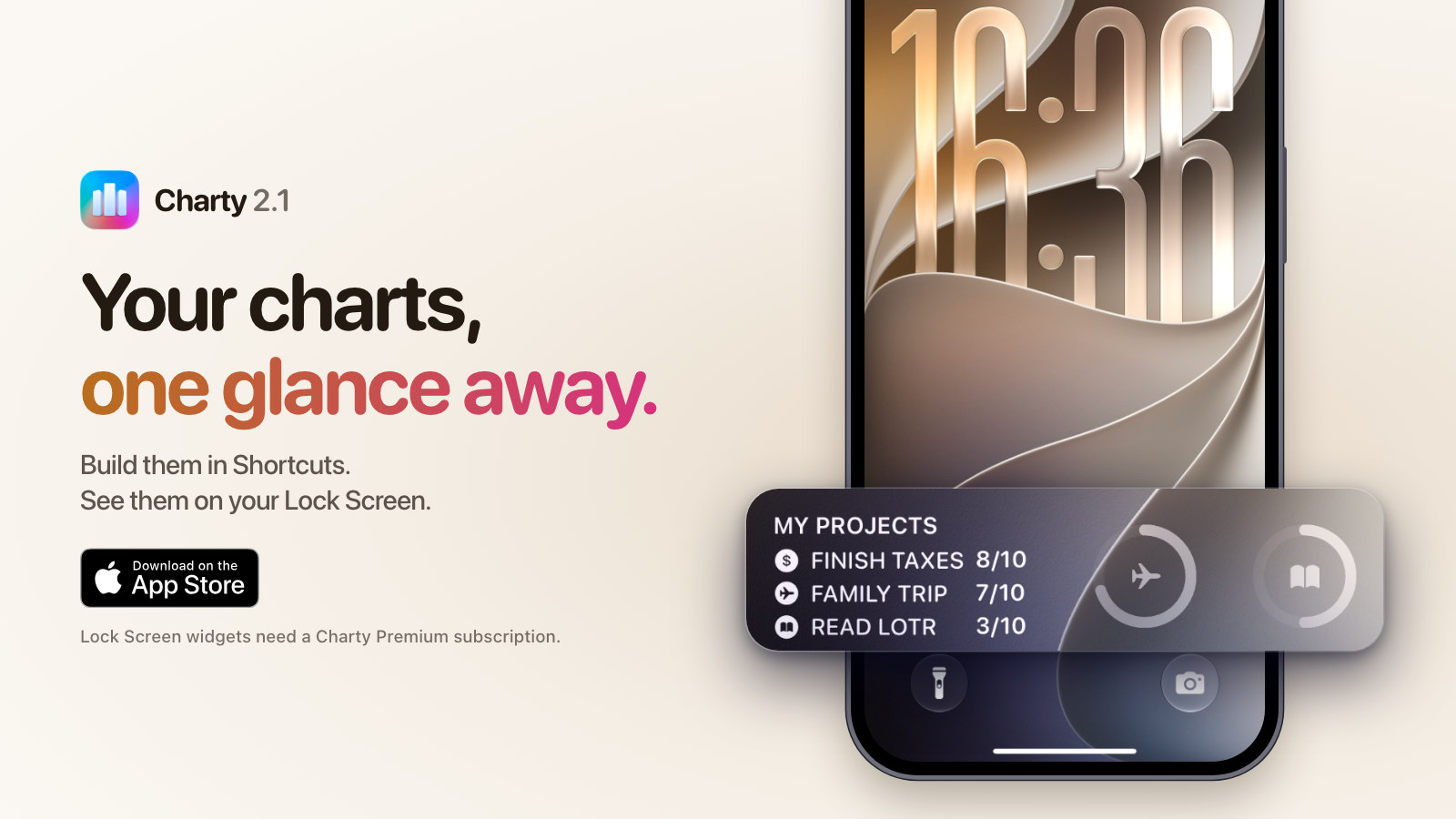
Your charts on the Lock Screen
Charty now has three Lock Screen widgets, so your latest numbers are readable at a glance:
- Ring or Pie chart: a circular widget for a ring or pie chart
- Numeric chart: a rectangular widget for a numeric chart
- Ring values: a rectangular widget that lists a ring chart's series

To add one, touch and hold the Lock Screen, tap Customize, choose Lock Screen, tap the widget row, then choose Charty. Tap a placed widget to pick which chart it shows.
Ask a chart what it shows
Open a chart, tap the Apple Intelligence button, and Charty explains it in plain language: where it peaked, where it dipped, and which way it's heading. You can also touch and hold a chart in the list and choose Analyze Chart.

Charty measures the numbers itself, and Apple Intelligence only puts them into words. It can make mistakes, so the figures under the explanation come straight from your data, and you can always check one against the other.
The analysis runs on your device or through Private Cloud Compute. No chart data is sent to our servers or to any third-party AI service. It needs a device that supports Apple Intelligence, like an iPhone 15 Pro or later, with Apple Intelligence turned on.
There's also a new Analyze Chart action for Shortcuts. It returns the analysis as text, so your shortcut can save it to a note, send it in a message, or do anything else you can build.
Faster and steadier
- Faster actions: charts build and style noticeably quicker from Shortcuts, and the stalls that used to leave a half-finished chart behind are gone
- Marker styles for lines: Style Line Series can now set the marker style, not just the line
- No more duplicates: charts and series no longer multiply when syncing between devices, and the ones that already did are cleaned up
- Everything else: safer date parsing, tidier CSV headers and a long list of smaller fixes
A friendlier first run
Charty has always been a little hard to explain, because the work happens in another app. So new users now get a short introduction: a few charts to flip through, the three actions behind a real chart, and then a ready-made shortcut or a set of sample charts to start with.


Who gets what
Lock Screen widgets and chart analysis need a Charty Premium subscription. You can see the plans on the home page.
If you bought the original Premium unlock: thank you. As promised, you keep everything in Charty 2.0 forever, with no subscription needed. Features added from 2.1 onwards do need one, and the details are in the FAQ.
The codename
Charty 2.1 is codenamed Selene!
Selene is the Greek goddess of the Moon, the light that's still there after everything else goes dark. It felt like the right name for an update that puts your charts on the Lock Screen, where they're one glance away and your rings fill up like phases of the moon.
Charty 2.1 is available now on the App Store. Follow along on Twitter, Bluesky, Mastodon or Reddit!